

IPTV Streaming Basics Everyone Should Know
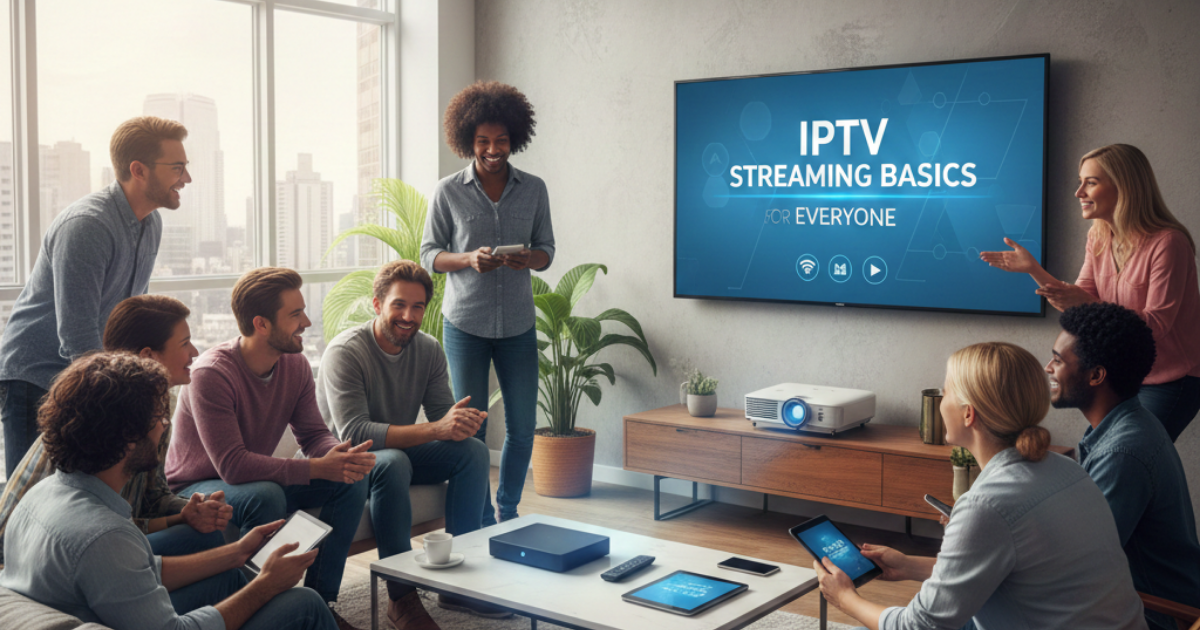
It is almost unrecognizable the extent to which the experience of watching television has changed. Whereas in the past people depended on traditional antennas or satellite dishes to get TV channels, now, a large number of people are using the web to view their favourite programmes or movies. In case you want to get an idea of how this state, of, the, art system operates, you have come to the right place.
What Does IPTV Mean?
IPTV stands for Internet Protocol Television. The name sounds complex, but the idea is actually very simple. It means receiving television programmes through the internet.
You do not need a traditional cable connection. You just need a good broadband connection and a compatible device. The internet does all the hard work to bring the video to your screen.
Just a heads up, this piece talks strictly about software, tools, and handling files online. No actual media gets hosted here, shared by us, or sold through this site at any time. Obtaining proper material falls entirely on you when using these methods. The whole point of reading onward? Learning how things work behind the scenes. Breaking rules isnt something we support, suggest, or back in any way.
Understanding the technology behind it?
Traditional television sends signals through the air. An aerial picks up these invisible signals. Modern internet television works differently. It sends digital video files over your home broadband network.
When you click on a channel, your device asks a digital server for the video. The server breaks the video into tiny pieces called data packets. These packets travel across the internet very quickly. When they reach your home, your device puts the packets back together. Finally, the video plays on your screen.
The Delivery Process
Understanding the delivery process helps you fix problems if they happen. Here is a simple breakdown of the technical process.
| Step | Action | Description |
|---|---|---|
| 1 | Request | You select a programme using your remote control. |
| 2 | Processing | The main server finds the exact video file you requested. |
| 3 | Transmission | The video travels over the internet in small data packets. |
| 4 | Playback | Your software reads the data packets and plays the video. |
Different Types of Internet Streaming
There are three main ways to watch media over the internet. Understanding these types will help you manage your software better.
The first type is live broadcasting. This is just like watching normal television. You watch the event exactly as it happens. This format is very popular for live sports matches and news broadcasts.
Watching something now means picking a movie or show from an online list. At any time, viewing happens just by starting it. Pausing comes easily. Rewinding works smoothly. Fast, forwarding jumps ahead without trouble.
Later viewing fits into busy schedules. Think of shows recorded automatically after airing. Missing an episode? No problem, programs stay online awhile. A delay does not mean missing out completely. Stations leave episodes up just long enough. Flexibility comes from access that lasts days, not moments.
Equipment and software needed
A solid internet link comes first if you want things running smoothly. Without speed, everything stutters. Picture the screen freezing, circle spinning endlessly. That stutter? It happens when the data cannot keep up. What works best here is a reliable broadband signal, strong enough to handle constant flow.
Apart from that, grab something smart, like a TV made lately, maybe even your laptop or pad, could work too. Sometimes people just hook up one of those little boxes when their screen is past its prime.
A media player or control app comes last. Software like this grabs online info so you can see it. Running digital setups often means using tools made for oversight. Those curious about commerce here could explore being an IPTV Reseller. Handling user logins and program settings is part of the role, no file hosting needed.
Traditional TV Versus Internet Streaming
Why do people prefer internet television over traditional aerial television? The main reason is control. Traditional television follows a strict daily schedule. You must sit down to watch a show when it is broadcast. Internet streaming lets you watch what you want, exactly when you want to watch it.
| Feature | Traditional TV | Internet Streaming |
|---|---|---|
| Delivery Method | Aerial, Cable, or Satellite | Broadband Internet |
| Viewing Schedule | Fixed broadcast times | Flexible and on-demand |
| Equipment Needed | Television and signal receiver | Smart device and internet router |
| Location | Fixed to one specific room | Anywhere with a web connection |
Benefits of Using Streaming Technology
There are many great benefits to using internet-based television software. It is highly flexible. You can watch your favourite programmes on your mobile phone while travelling on a train. You can also watch on a tablet while sitting in the garden.
It is also very customisable. Management software allows users to organise their own channel lists. You can group your favourite sports and news channels together. You can easily hide the channels you do not want to watch.
When looking at management software, it is vital to check the monthly costs. You should always review a clear Pricing Page to understand the software fees before you sign up.
Staying on track with spending becomes easier when limits are clear. Budgets hold firm because choices align with what’s planned. Limits guide decisions without surprise overruns. Planning ahead keeps totals predictable. Control comes from consistency, not guesswork.
Common mistakes and misconceptions
Most new users stumble at basic steps during device setup. Skipping checks on network performance stands out above the rest. A constant stream of information keeps streaming alive. When the online link falters, playback cuts without warning.
Most people get this wrong when it comes to rules. Streaming tech? Totally allowed by law. Think of it like a smart path for moving files online. What matters is what travels through that path, only fair, to, share stuff should go there. Watching movies or shows through unofficial apps breaks the rules. Always stick to platforms that have proper permission to share them.
Basic Tips for IPTV Streaming That People Should Know
A solid screen moment starts with a few smart choices. Pick settings that match the room light just right. Smooth motion needs steady setup. A quiet space helps eyes stay focused on what matters. Little tweaks make big differences when done one at a time.
A solid signal often comes from plugging in directly. At home, wireless networks tend to drop or slow down in some areas. Connecting your television straight to the modem with a cord avoids those gaps. The path for data becomes clear, without interruptions from walls or distance.
. This greatly reduces buffering.
Second, keep your media software updated. Media players and management tools release new updates regularly. These digital updates fix small bugs and make the software run faster.
| Pros of Internet TV | Cons of Internet TV |
|---|---|
| High flexibility for the viewer | Requires a strong broadband connection |
| Can be used on almost any smart device | Can be affected by local network outages |
| Very easy to organise digital playlists | Initial setup can confuse some beginners |
| Customisable viewing experience | Requires compatible management software |
Troubleshooting Common Problems
Sometimes, things go wrong. Most issues are very easy to fix. Here is a simple guide to solving common technical problems.
| Problem | Likely Cause | Simple Solution |
|---|---|---|
| Constant buffering | Slow internet speed | Connect your device using an Ethernet cable |
| Application crashing | Outdated software | Download the latest software update from the store |
| No sound playing | Device settings incorrect | Check your TV volume and audio output settings |
| Cannot connect | Router is offline | Restart your home internet broadband router |
Frequently Asked Questions
Actually, a smart TV isnt required. A regular one works just fine, just hook it up to a streaming device or external box. Devices like laptops, phones, or tablets serve the same purpose too.
What internet speed is required?
Five megabits per second gets basic video working just fine. High, def needs double that speed to run without hiccups. Twenty, five or higher makes 4K look sharp and play smoothly. Bumping up your rate helps everything feel more responsive. Speed gaps show fast, especially when streams stall.
Is internet protocol television legal?
Yes, the software technology is 100% legal. It is simply a method of transferring digital data. However, you must ensure the media you watch is legal. Do not use streams that share copyrighted films or shows without permission.
Watch programs when traveling?
Sure. Since the stream travels over the web, location doesnt lock you out. A compatible gadget helps, along with solid online access, Wi, Fi or cellular works fine. Wherever you are, it plays.
Why does my video keep stopping?
Pausing like this? Thats buffering. Most of the time, it’s down to a sluggish or shaky home internet link. Give your broadband box a restart, could help. Another move: shift nearer to where the Wi, Fi comes from.
What is management software?
Management software is a digital tool used to organise your streaming links. It helps users arrange their media files in a clean, easy-to-use digital menu. It does not provide the video content itself.
Does bad weather affect my stream?
Unlike older satellite dishes, bad weather does not directly affect internet streams. Rain or wind will not block the signal. However, if a bad storm causes a local broadband network outage, your stream will stop working.