
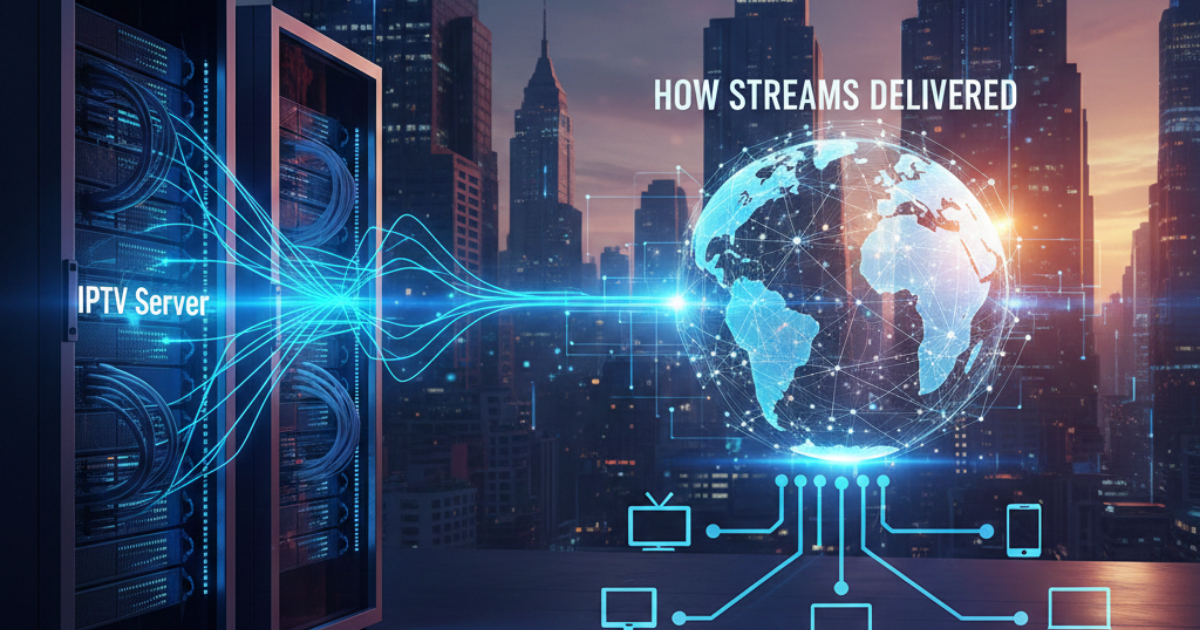
If you have ever wondered how IPTV content plays on your device within seconds of selecting a channel or film, the entire process relies on specialised hardware and software designed for content delivery. This guide breaks down IPTV server how streams are delivered, so even complete beginners can understand the technology without technical jargon.
What Is an IPTV Reseller Panel
This article is for educational purposes only. It covers software, tools, and management systems related to IPTV. No copyrighted content is hosted, provided, or distributed by this site. We do not endorse or encourage any illegal activity related to streaming protected content.
What Is an IPTV Server?
An IPTV server is a secure, high performance computer that stores and distributes IPTV content to end users.
It works in a similar way to the servers that host websites you visit every day. The only difference is that it is optimised to send large video files and live streams without interruptions.
Servers for IPTV are usually located in data centres with very fast, permanent internet connections. This ensures content can be sent to thousands of users at the same time with no slowdown.
IPTV Server How Streams Are Delivered: Step by Step Workflow
The entire process of getting content from the server to your screen follows a consistent sequence. The table below breaks down each stage clearly.
| Step Number | Process Action | Description |
|---|---|---|
| 1 | Incoming Content Feed | For live streams, the server first receives the original broadcast feed from a content provider. For VOD content, pre-recorded video files are uploaded to the server. |
| 2 | Content Encoding | All video content is compressed and converted to a standard streaming format that works on all common user devices. |
| 3 | Content Storage | VOD files are stored on the server, while live streams are processed in real time without long term storage. |
| 4 | User Request | A user selects content to watch through their IPTV player app or set top box, and sends a request to the server. |
| 5 | User Verification | The server checks if the user has an active, valid subscription before granting access to the requested content. |
| 6 | Data Packet Transmission | The content is split into small, easy to send data packets that travel over the internet to the user’s device. |
| 7 | Playback | The user’s IPTV player reassembles the data packets and plays the content in real time. |
This entire process usually takes less than one second for users based in the UK with a stable internet connection.
Types of IPTV Servers
There are two main types of servers used to deliver IPTV content, often used together as part of a larger delivery network.
Origin Servers
Origin servers are the main servers that store the original copy of all content. All other servers pull content from the origin server first.
Most service operators do not give end users direct access to origin servers, to reduce the risk of overload or security issues.
Edge Servers / CDN Servers
Edge servers are placed in different locations across the country, including multiple locations across the UK.
They store copies of popular content closer to end users. This reduces the distance data has to travel, and cuts down on buffering for users.
Shared vs Dedicated IPTV Server Comparison
If you are looking to run your own IPTV service, you will need to choose between a shared server and a dedicated server. The table below compares the two options.
| Feature | Shared IPTV Server | Dedicated IPTV Server |
|---|---|---|
| Number of Service Operators Using The Server | Multiple separate resellers or providers | One single service operator only |
| Cost | Lower monthly cost | Higher monthly cost |
| Performance | Can slow down during peak usage if other users overload the server | Consistent performance at all times |
| Customisation Options | Very limited | Full control over all settings and software |
| Best For | New resellers and small services | Large services with thousands of customers |
If you are new to the industry and do not want to manage your own server hardware directly, you can work as an IPTV Reseller and use server infrastructure maintained by an experienced provider.
You can compare costs for server access, management tools and support packages on our Pricing Page to find an option that matches your budget.
Pros and Cons of IPTV Server Systems
Like all technology, IPTV server setups have advantages and downsides depending on your use case.
| Pros | Cons |
|---|---|
| Can deliver content to thousands of users at the same time | Poorly maintained servers cause regular buffering for end users |
| Support for both live TV and VOD content delivery | High quality server infrastructure has higher running costs |
| Can be scaled up to support more customers as your service grows | Server downtime will stop all users from accessing content |
| Built in tools to manage user subscriptions and access | Require regular maintenance and security updates |
Common Misconceptions About IPTV Servers
There are many common myths about how servers deliver streams that are not true.
The biggest misconception is that all buffering is caused by the user’s internet connection. In many cases, buffering is caused by an overloaded server, or a server that is located too far away from the user.
Another common myth is that you need to own physical server hardware to run an IPTV service. You can rent server space or use reseller plans, so you do not need to buy or maintain any physical hardware yourself.
Many people also believe that more expensive servers always give better performance. A well managed shared server can give a much better experience than an expensive dedicated server that is not set up or maintained properly.
A final common misconception is that servers only store illegal content. IPTV servers are used by official UK broadcasters, universities, and businesses to deliver licensed content legally every day. The technology itself is neutral.
Best Practices
When using the system yourself or handling server tasks for an IPTV setup, stick to these rules. What matters is consistency, no matter your role. For viewers and administrators alike, compliance keeps things running. Even if responsibilities differ, the standards stay fixed. Anyone involved must apply each point without exception.
For End Users
Start here if you want quick loading and smooth playback, pick providers running on local edge servers across the UK. Speed rises when data travels shorter distances, so location matters more than most realize. Fewer delays happen when the system uses nearby hubs instead of distant ones. That setup cuts down wait times between clicks and response. Connection quality improves without extra effort just by staying close to source points.
When buffering happens often, look at your home network first instead of reaching out right away.
Picking a legit IPTV provider means fewer glitches, plus you stay clear of trouble. Not every stream holds up, some vanish overnight unless they follow the rules.
Service Operators and Resellers
A single crowded moment might crash the system if too many join at once. Handling fewer people keeps things running when traffic climbs. Too much load risks everything stalling without warning.
Every now then, patch the server programs so problems stay away. Updates roll in often, use them before something breaks. When fixes show up, get them on the system fast. Skipping these? Risk grows quiet but real. Old flaws tempt trouble; new code blocks it. Staying current keeps things running without surprise stops.
Across the UK, scattered edge servers keep connections quick. Each location links smoothly, so performance stays steady. No matter where users are, speed holds firm.
Frequently Asked Questions
Besides these lines lies a collection of replies, tackling everyday puzzles around IPTV setups and how streams move.
What’s the wait like when pulling streams from the server?
One second could be enough when the signal holds strong across Britain. Streaming a show on demand? That wait might stretch just past the usual mark.
Can an IPTV server see what I am watching?
Service operators can see which content your account is accessing, as part of normal service management. Licensed services follow UK data protection rules for all user data.
Do I need my own server to become a reseller?
No, most reseller plans give you access to pre-configured servers maintained by your provider.
No managing servers by hand is required. Hardware upkeep? Not on your part. Someone else handles all that. Maintenance happens without your involvement. You skip the physical tech work entirely.
One machine stops working. When that occurs, others might pick up the load. If backups exist, data stays safe. Without redundancy, services could halt. Response depends on system design. Outages reveal weaknesses fast.
When your connection drops because the primary or edge server fails, accessing data halts immediately. Some services keep spare systems ready, these kick in when outages happen. Recovery depends on whether backups exist and how fast they activate.
How much storage does an IPTV server need?
Depending on how big the video collection is, space needs change. Tiny setups might get by with just a handful of terabytes. Huge libraries, packed with thousands of videos, demand many petabytes instead.
Does being nearer to the server speed things up?
Speed usually improves when the server is nearby. For people in the UK, a local machine handles data quicker than one far away. Distance slows things down, so closer means smoother streaming. That lag often fades if the source is within the same region. Being near cuts wait time naturally. So yes, UK, based servers respond faster for those using them at home.