
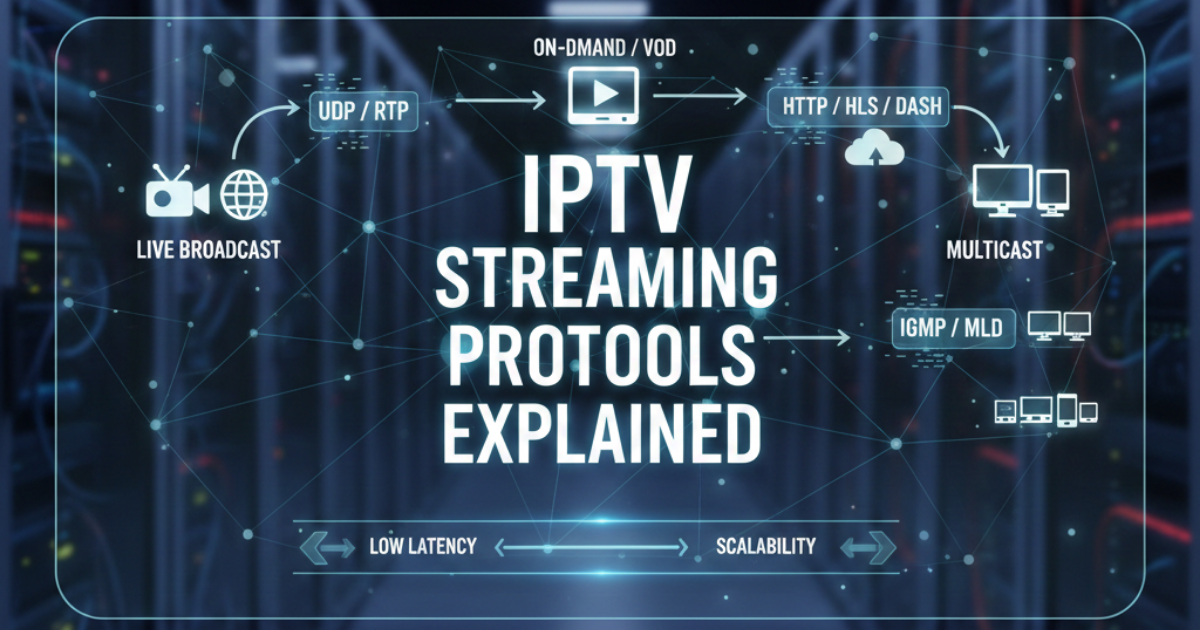
In the world of IPTV, content is delivered from the server to your TV screen through certain rules which are called streaming protocols. This blog offers streaming protocols in IPTV explained very simply for beginners so that they can understand easily. We discuss two popular choices: HLS and MPEG, TS. These instruments give uninterrupted video delivery.
An IPTV reseller panel is basically a software product that is used to manage IPTV reselling businesses. However, we neither provide video content nor host any video streams. The main focus is on the technical aspect so that users understand streams better and learn how to manage them.
Only two major protocols are used for IPTV today. One is a traditional terrestrial broadcasting protocol while the other is completely new and is designed for internet delivery. Both protocols focus on different aspects but at the same time, they complement each other very well.
Decoding MPEG, TS
MPEG, TS is an acronym for MPEG Transport Stream. It is a way of organizing video, audio, and other data that are encoded into small packets. A packet size is 188 bytes. This design makes it reliable for live television delivery.
Broadcasters first started using MPEG, TS back in the 1990s. In IPTV it typically goes over UDP which is a fast but simple network method. UDP rapidly sends data without verifying each packet. This is why it keeps the delay to a minimum.
Many set, top boxes and smart TVs have native support for MPEG, TS. It is ideal for live sports and news where the real, time factor is crucial.
How MPEG, TS Operates in IPTV
At the beginning of the chain is an encoder. It takes the live signal and compresses it into both video and audio. These streams are wrapped into an MPEG, TS container. After that, the server dispatches packets over the network, usually via multicast when there are many viewers at once.
The device takes the packets, rearranges them, and plays the video. However, if a few packets are missing, the error correction feature helps to solve the problem by minor adjustments.
. The result feels like traditional cable or satellite TV.
Benefits of MPEG-TS for IPTV Users
MPEG-TS offers very low latency. Viewers see events almost as they happen, often within one or two seconds. This matters for live matches or breaking news.
It uses network resources efficiently in controlled setups. Multicast delivery means one stream serves thousands of users without extra load on the server.
Many existing IPTV systems already use MPEG-TS. Switching costs stay low because hardware support remains strong.
Understanding HLS
HLS means HTTP Live Streaming. Apple created it in 2009 for reliable delivery over regular internet connections. Today, nearly every device supports it.
HLS breaks video into short segments, usually six to ten seconds long. Each segment becomes a small file. A playlist file called .m3u8 tells the player which segment to fetch next.
The player downloads segments one by one over standard HTTP. This method works through firewalls and content delivery networks without special setup.
How HLS Works Step by Step
First, the encoder creates several versions of the same stream at different quality levels. One version might use low bitrate for slow connections. Another uses high bitrate for fast connections.
The server cuts each version into short segments and stores them. It also creates a master playlist that lists all available versions.
When you start watching, your player checks your internet speed. It picks the best quality segment and begins downloading. As you watch, it keeps checking speed and switches versions if needed. The change happens smoothly, so you rarely notice.
This adaptive bitrate feature makes HLS excellent for mobile users or homes with varying connections.
Benefits of HLS in Modern IPTV
HLS adapts to network conditions automatically. If your Wi-Fi slows down, the stream drops to lower quality instead of buffering. When speed improves, quality rises again.
It scales easily. Standard web servers and CDNs handle HLS without extra software. This helps large services serve millions of viewers.
Device support covers almost everything: iOS, Android, smart TVs, computers, and games consoles. No special apps are always needed.
HLS also supports extra features such as subtitles, multiple audio tracks, and timed ads.
HLS vs MPEG-TS: A Clear Comparison
Choosing between protocols depends on your setup and audience. Here is a simple side-by-side view.
| Feature | MPEG-TS | HLS |
|---|---|---|
| Latency | Very low (1-3 seconds) | Higher (10-30 seconds) |
| Adaptive Bitrate | No (fixed quality) | Yes (changes automatically) |
| Delivery Method | Usually UDP multicast | HTTP over any web server or CDN |
| Best For | Live sports, low-delay viewing | Mobile, variable internet, large scale |
| Device Support | Strong on set-top boxes | Excellent on all modern devices |
| Error Handling | Good with packet loss | Excellent through segment retries |
| Setup Complexity | Needs multicast network support | Very easy, works on standard internet |
This table shows why many IPTV providers offer both options to customers.
Pros and Cons of Each Protocol
Here is another quick view to help weigh options.
MPEG-TS Pros
- Lowest possible delay
- Efficient for many simultaneous viewers
- High picture quality on stable connections
MPEG-TS Cons
- No automatic quality adjustment
- Can struggle on poor or public internet
- Harder to scale globally without dedicated networks
HLS Pros
- Adapts to any connection speed
- Works everywhere on the public internet
- Simple to manage and update
HLS Cons
- Noticeable delay for live events
- Slightly higher server storage use
- Quality may drop during fast action scenes
When to Choose Each Protocol
Use MPEG-TS when low latency matters most. Sports bars, live event streams, and traditional IPTV services prefer it. Viewers expect near real-time action.
Choose HLS for broad audience reach. Mobile users, travellers, or homes with shared internet benefit from its adaptability. It also suits video-on-demand libraries where delay is not critical.
Many advanced systems let users switch between protocols inside the same app. This gives the best of both worlds.
Common Mistakes and Misconceptions
One common mistake is assuming one protocol is always better. MPEG-TS does not mean poor quality on mobile. HLS does not always mean high delay for every viewer.
Another error is ignoring device compatibility. Some older TVs handle MPEG-TS perfectly but struggle with HLS playlists.
People sometimes forget about bandwidth planning. Fixed MPEG-TS streams can overload slow networks. HLS may use more total data across multiple qualities.
A big misconception is that HLS always looks worse. With good encoding, HLS can deliver excellent pictures when conditions allow.
Best Practices for Smooth IPTV Streaming
Test both protocols with your target devices before full launch. Run trials with real users on different connections.
Monitor network conditions closely. Tools inside good management panels show bitrate switches and error rates.
Use strong encoding settings. Choose modern codecs like H.264 or H.265 for best results with both protocols.
Keep segment lengths balanced in HLS. Too short increases overhead. Too long raises latency.
For resellers, offer customers a choice. Let them select MPEG-TS for living room TVs and HLS for phones and tablets.
Regular updates to server software prevent compatibility issues as devices evolve.
Workflow of IPTV Streaming with Protocols
Here is a simple table showing the typical process.
| Step | MPEG-TS Workflow | HLS Workflow |
|---|---|---|
| 1 | Capture live signal | Capture live signal |
| 2 | Encode into single stream | Encode multiple quality versions |
| 3 | Package into TS packets | Split into short segments |
| 4 | Send via UDP multicast | Create .m3u8 playlist |
| 5 | Device receives and decodes | Player downloads segments via HTTP |
| 6 | Play with minimal delay | Switch quality as needed |
This flow helps new users see the differences at each stage.
Choosing the Right Plan for Your IPTV Business
Resellers need flexible tools to manage protocols and users. Different plans suit different business sizes.
| Plan | Max Users | Monthly Price Example | Key Features |
|---|---|---|---|
| Starter | 100 | £29 | Basic protocol support, one server |
| Growth | 500 | £69 | HLS and MPEG-TS, basic analytics |
| Pro | 2000 | £149 | Full protocol choice, advanced panel |
| Enterprise | Unlimited | Custom | Custom encoding, priority support |
These are example structures. Actual details vary. For full information, head over to our pricing page to see available options.
IPTV Reseller services help manage everything from protocol settings to customer accounts in one place.
Frequently Asked Questions
What is the main difference between HLS and MPEG-TS? HLS adapts quality to your internet speed. MPEG-TS delivers fixed quality with less delay.
Which protocol works better for live sports? MPEG-TS usually wins because of lower latency. Fans see goals and action almost instantly.
Can I use both protocols at the same time? Yes. Many systems let users choose per device. This gives flexibility without extra cost.
Does HLS use more bandwidth? Not always. It only sends the quality the user needs. Fixed MPEG-TS may waste bandwidth on slow connections.
Is special hardware required for MPEG-TS? Most modern set-top boxes and apps support it. Older TVs may need a dedicated receiver.
Which protocol is easier for beginners to set up? HLS wins here. It works on ordinary web hosting and needs no special network settings.
Will protocol choice affect picture quality? Both can deliver excellent quality. The difference comes from your internet stability and encoding settings, not the protocol itself.
Final Thoughts
Understanding IPTV streaming protocols explained helps you make better choices for reliable service. MPEG-TS suits low-delay live viewing. HLS excels at reaching every device with smooth playback. Most successful setups use both wisely.
For tools to manage users and streams effectively, explore IPTV Reseller options. Visit our pricing page for plans that match your goals. This knowledge forms the foundation for a stable, professional IPTV operation.