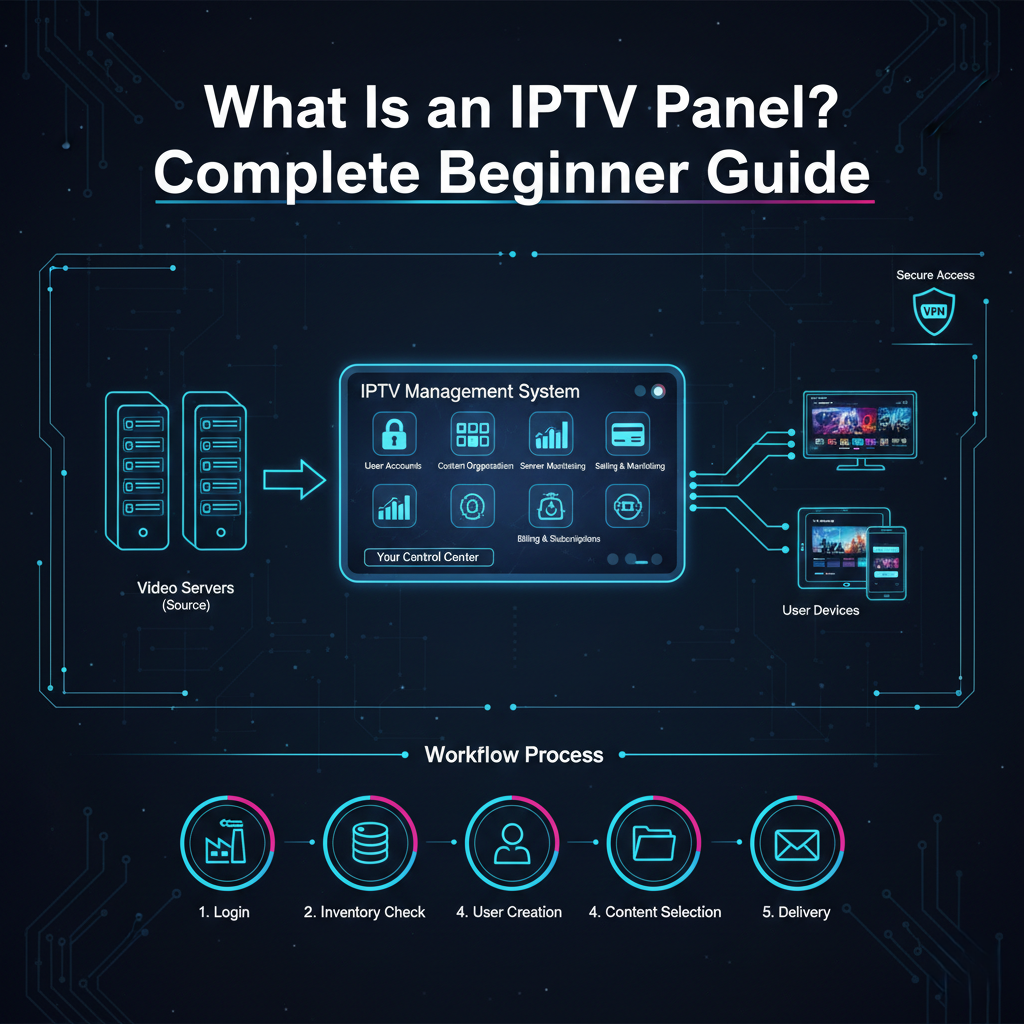


Running an IPTV service means handling many customer accounts, logins, and renewals. IPTV Panel vs Manual Management comes down to one simple choice: use a dedicated dashboard tool or stick to spreadsheets, emails, and notes. This guide explains the real differences so beginners in the UK can decide what works best for their setup.
The article focuses only on management software and tools. No panel or method discussed here hosts or provides any TV content. Streams and channels always come from separate sources. Make sure you follow all UK copyright and licensing laws when offering IPTV services.
What Is an IPTV Reseller Panel
IPTV Reseller panels are online control centres made for people who sell IPTV subscriptions. You log in through a web browser, buy credits from a provider, and then create user accounts for your own customers.
Everything stays inside one secure place. You set prices, control device limits, and see who is watching in real time. The panel talks directly to the main server through an API so changes happen instantly.
How Manual Management Usually Works
Most folks initially resort to using the manual methods merely because they look free and straightforward. You maintain a spreadsheet that contains customer names, expiry dates, M3U links, and payment records.
After a customer has made a payment, you manually copy the login details and paste them in a mail or WhatsApp message.For renewals, you open the provider portal, find the line, extend it, then tell the customer. Trials mean creating accounts by hand and remembering to delete them later.
This approach needs no extra software at first. But as the customer list grows, small tasks turn into hours of work.
IPTV Panel vs Manual Management: Side-by-Side Comparison
The biggest contrast shows up in daily operations. Here is a clear look at the main areas.
| Aspect | IPTV Panel | Manual Management |
|---|---|---|
| New customer setup | 30–60 seconds | 5–20 minutes |
| Renewal process | One click, instant | Multiple steps across portals and email |
| Trial creation | Built-in button, auto expiry | Manual creation and reminder needed |
| Device limit control | Set once, enforced automatically | Must check and block manually |
| Live user monitoring | Real-time dashboard | No visibility unless you ask provider |
| Sales reports | Auto-generated, exportable | Build yourself in spreadsheet |
| Bulk actions | Suspend, renew, or message many users | One by one only |
| Error risk | Very low | High (typos, forgotten renewals) |
| Scaling to 100+ users | Easy | Very hard without help |
Panels win on speed and accuracy every time the list gets bigger than 20–30 customers.
Time and Effort: A Practical Workflow Table
See how a typical day looks for each method when adding ten new customers.
| Step | IPTV Panel Time | Manual Management Time |
|---|---|---|
| Receive payment & details | 10 seconds | 10 seconds |
| Create account / generate logins | 1 minute total | 10–15 minutes |
| Send details to customer | 30 seconds | 2–5 minutes per person |
| Record expiry & notes | Automatic | 1–2 minutes per person |
| Follow up on trials | Auto reminders | Manual check weekly |
| Total for 10 customers | ~15 minutes | 2–4 hours |
The gap grows fast once you pass fifty active lines.
Benefits of Switching to an IPTV Panel
You save hours every week on boring tasks. Customers get instant service instead of waiting for you to reply. Mistakes drop because the system handles dates and limits.
Reports show exactly how much you earn and which packages sell best. You spot slow payers or shared accounts early. Many panels let customers renew themselves through a simple portal, so you spend less time chasing payments.
For UK resellers, panels with European servers often give smoother streaming during busy football evenings.
Drawbacks and Realistic Downsides Table
No method is perfect. Here are the honest pros and cons.
| Pros of IPTV Panel | Cons of IPTV Panel | Pros of Manual Management | Cons of Manual Management |
|---|---|---|---|
| Fast and accurate | Small monthly credit costs | Completely free to start | Very time-consuming |
| Professional customer experience | Small learning curve at first | Full control over every detail | Easy to lose track of customers |
| Built-in security features | Relies on provider staying online | No extra accounts or logins needed | No automation at all |
| Scales without extra staff | Some panels limit custom options | Good for very small side business | Hard to grow beyond 30–50 users |
Most people who try a panel never go back to full manual work.
Common Mistakes People Make
New resellers often think manual is “safer” because they avoid third-party tools. In reality, human errors cause far more problems than a well-made panel.
Another mistake is jumping into a cheap or unknown panel without testing. Always start with a trial batch of credits and check the interface yourself.
Many believe panels provide channels. They do not. The panel only manages access to whatever your provider supplies.
Best Practices for Either Method
If you stay manual, use one master spreadsheet with colour coding for expiry dates. Set calendar reminders for renewals.
If you move to a panel, test it with your own account first. Learn the trial and bulk tools early. Keep credit balance above two weeks’ usage. Check live stats weekly to catch any streaming issues fast.
For current plan details and costs, visit our Pricing Page.
No matter which path you choose, write clear setup guides for your customers. Good instructions cut support questions in half.
Frequently Asked Questions
How many customers make a panel worth it? Most resellers switch around 30–50 active lines. Below that, manual can still work if you enjoy the process.
Do panels cost extra money every month? The dashboard is usually free. You pay only for the credits you buy from the provider, the same as manual users.
Is it legal to use these tools in the UK? The management software is legal. The legality depends entirely on whether the IPTV content you offer has proper licences.
What happens if the panel goes down? Reliable providers keep a backup portal. You can still manage lines there until the main dashboard returns.
Can customers see their own account status? Many panels include a customer login area where users check expiry and renew themselves.
How long does it take to learn a panel? Most beginners feel comfortable after one or two hours of clicking around. Good panels use clear menus.
Which is better for a complete beginner? Start manual with five to ten customers. Move to a panel once you understand the basics and want to grow.
Conclusion
IPTV Panel vs Manual Management really comes down to time, scale, and peace of mind. Manual methods suit very small operations where you know every customer personally.Panels light up when you want quicker service, less errors, and space to develop.
Pick the way that fits your current size and objectives. Most UK resellers start manually, trying out a panel with a small credit pack, and change once they realize the difference. No matter what you choose, pay attention to clear communication and trustworthy sources. That mix nurtures trust and ensures customers return.