

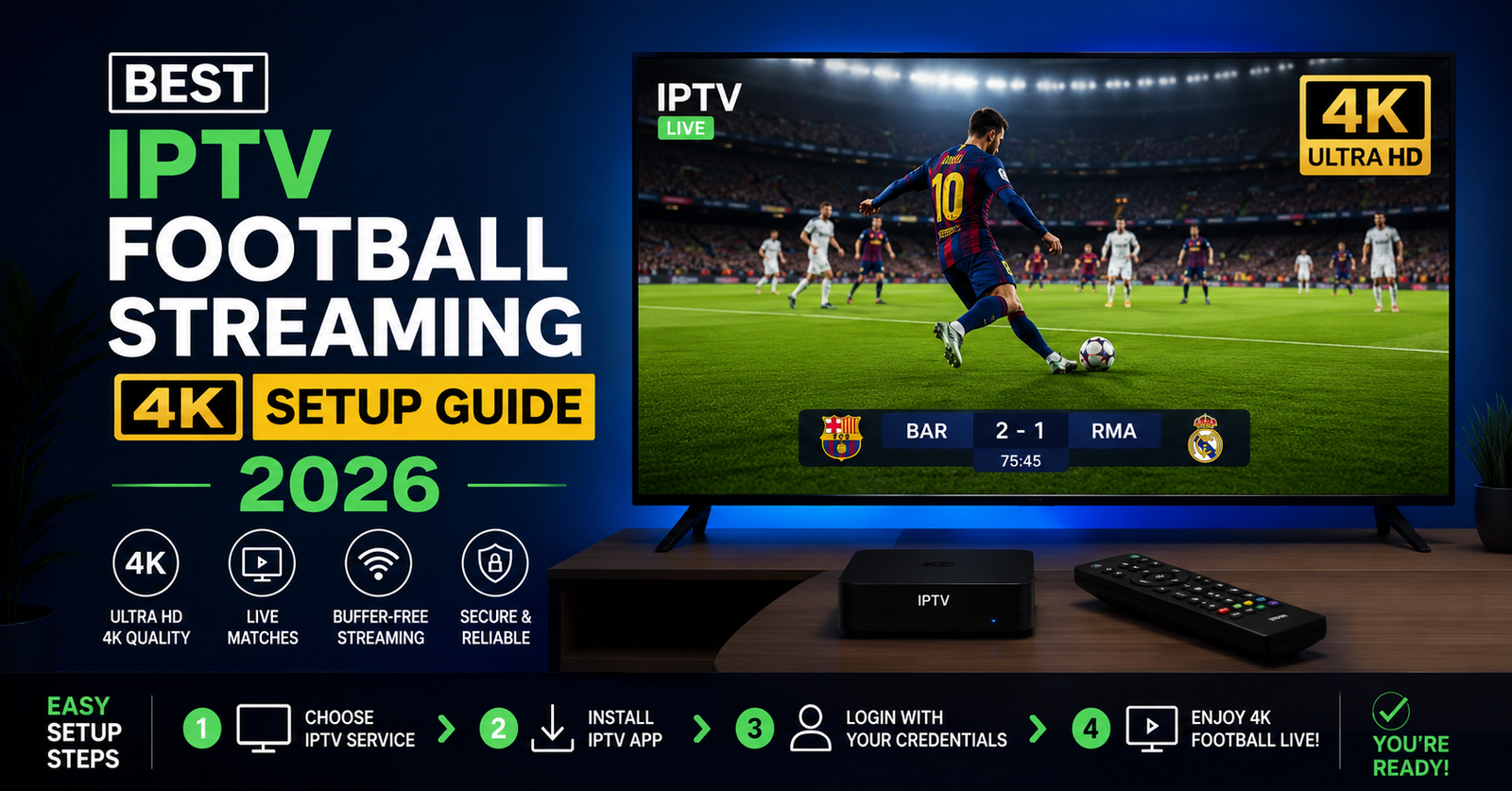
Best IPTV Football Streaming 4K Setup Guide 2026
Most People Blaming Their IPTV Service Are Actually Blaming the Wrong Thing
Here is something that comes up constantly in support tickets: a subscriber is watching a Premier League match, the picture is crystal clear for forty minutes, then the stream freezes at the worst possible moment. They immediately blame the IPTV provider. Nine times out of ten, the problem sits somewhere entirely different.
After reviewing hundreds of support requests tied specifically to live football events, a pattern emerges almost every time. The stream quality is not failing. The delivery path between the CDN and the subscriber’s router is failing. Understanding that distinction changes everything about how you diagnose problems, choose a service, or build a UK IPTV reseller operation around IPTV football streaming 4K content in 2026.
This guide covers what operators, resellers, sub-resellers, and everyday subscribers actually need to know. Not theory. Real infrastructure behaviour, real churn causes, and real solutions.
Why 4K Football Streaming Places Extreme Demands on IPTV Infrastructure
Standard definition football requires roughly 2 Mbps. Full HD requires around 8 Mbps. Genuine IPTV football streaming 4K at 60 frames per second with HDR encoding demands between 25 and 40 Mbps sustained, per stream.
That number matters because most household broadband connections are sold on headline speeds that bear no relation to sustained throughput during peak hours. A 100 Mbps connection that delivers 60 Mbps sustained at 8pm on a Saturday is not adequate for two simultaneous 4K football streams with any headroom to spare.
On the infrastructure side, a single major football match — a Champions League final, a World Cup group stage game, a Premier League top-four clash — can generate simultaneous connection spikes that overwhelm panels not designed for burst capacity. We have observed mid-tier IPTV providers suffer complete panel failures during exactly these moments, not because their usual capacity is insufficient, but because they never stress-tested against simultaneous peak demand.
What separates reliable 4K football delivery from unreliable delivery:
- Multi-CDN routing that redistributes load automatically during traffic spikes
- HLS segment delivery tuned for low latency rather than maximum compression
- Backup uplinks on separate transit providers, not just separate ports on the same provider
- Geographic routing that places content delivery nodes closer to subscriber concentrations
- Real-time monitoring with automated failover, not manual intervention
Providers who handle IPTV football streaming 4K well have built for the worst day of the year, not the average day.
The ISP Throttling Problem Nobody Talks About Honestly
ISP throttling of IPTV traffic is not a conspiracy theory. It is documented, measurable, and increasingly targeted. What has changed in 2026 is the sophistication of how it is applied.
Early throttling was blunt. Providers would reduce speeds on connections showing sustained high throughput. Subscribers could often bypass it with a basic VPN. Modern throttling is far more surgical. Major ISPs in the UK, and increasingly across Europe and North America, now use deep packet inspection that identifies streaming protocols specifically. HLS traffic on non-standard ports, multicast patterns, and certain DNS query behaviours can all trigger rate limiting even on connections with plenty of raw bandwidth available.
We noticed unusual ISP behaviour during a testing window across multiple UK broadband providers in late 2025. Connections on certain providers showed 4K stream degradation specifically during broadcast windows for major football events, while other traffic on the same connection remained unaffected. The throttling was event-triggered, not time-of-day triggered.
Pro Tip: If your IPTV football streaming 4K quality degrades specifically during live matches but performs normally when testing streams outside of broadcast windows, ISP throttling is the most likely cause. A reputable no-log VPN with split tunnelling configured for your IPTV application will isolate and resolve this in most cases.
Choosing the Right VPN Protocol for 4K Football Streams
Not all VPN configurations work for IPTV football streaming 4K. This is where many subscribers make a costly mistake. They enable a VPN, see no improvement, and conclude the problem lies elsewhere.
The issue is usually protocol selection. OpenVPN over TCP introduces latency and packet retransmission overhead that is catastrophic for live 4K streams. WireGuard over UDP is the correct choice for this use case. It delivers low-latency encrypted tunnelling without the overhead penalties of older protocols.
Server selection also matters. Connecting to a VPN server geographically distant from your ISP’s peering point adds unnecessary latency. Choose a server within the same country, ideally within the same regional network, as your broadband connection.
What a Bad Reseller Setup Looks Like From the Inside
One reseller lost a significant portion of their subscriber base during a single weekend of football fixtures because they had oversold their panel capacity without understanding what that actually meant under load.
Overselling in IPTV is not inherently wrong. It is built into the economics of reseller operations. The assumption is that not every subscriber watches simultaneously. For general entertainment content, that assumption holds. For live football, it does not. During a major match, concurrent viewer ratios spike dramatically compared to VOD or standard channel usage.
A reseller who has allocated credits based on average concurrent usage rather than peak football concurrent usage will experience cascading failures. The panel hits its connection limit. Streams begin buffering. Subscribers open tickets. The reseller, who has no visibility into panel-level metrics, assumes it is an upstream problem. By the time the match ends and load drops, a portion of those subscribers have already left.
Common reseller mistakes specifically around IPTV football streaming 4K events:
- Purchasing credits from a single panel without redundancy
- Not confirming whether the provider has 4K-specific streams or is upscaling HD
- Setting up customer accounts without testing 4K stream quality at their specific bitrate
- Failing to communicate proactively with subscribers before major football fixtures
- Not having a support response available during live match windows
The Difference Between True 4K and Upscaled HD in IPTV
This is one of the most frequently misrepresented aspects of IPTV football streaming 4K in the market. Providers list 4K channels. What they are often delivering is 1080p content that has been upscaled to a 4K resolution container.
True 4K football content requires access to a 4K source feed. In practice, this means the provider’s infrastructure needs to be sourcing from satellite or fibre feeds that carry native 4K signals from the broadcaster. Not all broadcasters produce native 4K for all fixtures. Sky Sports 4K and BT Sport 4K (now TNT Sports 4K) operate specific 4K streams that cover selected matches only, not the full schedule.
A subscriber expecting genuine IPTV football streaming 4K on every fixture will be disappointed even with the best infrastructure, simply because the source content does not exist for every match.
Pro Tip: Ask your IPTV provider directly which football channels are native 4K source and which are upscaled. If they cannot answer that question clearly, treat all their 4K channel listings with scepticism.
Device Compatibility for 4K Football Streams: What Actually Works in 2026
The device layer causes more silent failures in IPTV football streaming 4K than most operators acknowledge. A subscriber with technically adequate infrastructure, a well-configured service, and a capable provider can still receive a degraded experience because their device is the bottleneck.
| Device Type | 4K IPTV Performance | Key Limitation |
|---|---|---|
| Amazon Fire Stick 4K Max | Strong | RAM management during long sessions |
| Nvidia Shield Pro | Excellent | Higher cost barrier |
| Android TV Box (generic) | Variable | Inconsistent hardware decoding |
| Smart TV (built-in app) | Variable | App update dependency |
| MAG Box (older models) | Poor for 4K | Hardware codec limitations |
| Apple TV 4K (3rd gen) | Strong | Limited app ecosystem for IPTV |
After reviewing hundreds of support requests, the device category that generates the most 4K-specific complaints is generic Android TV boxes with inadequate GPU capability for hardware decoding. These devices attempt to software-decode 4K HEVC streams, which saturates the processor and causes frame drops, audio sync issues, and buffer events that look exactly like a network or server problem.
The fix is replacing the device, not troubleshooting the stream.
Player Configuration Changes That Affect 4K Football Quality
The media player running on a device matters as much as the device itself. IPTV football streaming 4K content delivered via HLS requires a player capable of adaptive bitrate switching and hardware-accelerated HEVC decoding.
For most IPTV subscribers in 2026, the configuration that delivers the best results on capable hardware is:
- Player: TiviMate (Android) or GSE Smart IPTV (multi-platform)
- Decoder: Set to hardware (H.265/HEVC) explicitly, not automatic
- Buffer size: 10–15 seconds for live football to absorb minor network fluctuations
- Cache: Cleared regularly, especially on devices with limited storage
Leaving decoder settings on automatic allows the player to make a choice, and that choice is frequently wrong for 4K streams specifically.
How DNS Configuration Affects IPTV Football Streaming 4K Stability
DNS is not something most subscribers think about. It is not something many resellers think about either. It is, however, one of the fastest-moving attack surfaces in the IPTV ecosystem.
DNS poisoning targets IPTV providers by redirecting domain resolution away from legitimate servers. During live football events specifically, poisoning attacks become more frequent because the financial motivation to disrupt services is highest at those moments.
A well-structured IPTV provider should be rotating DNS resolution paths regularly, using DNSSEC where applicable, and maintaining backup domains that are distributed to resellers ahead of major fixture dates. Providers that rely on a single static domain for all panel and stream delivery are one successful poisoning attack away from a complete blackout.
From an operator’s perspective, the resellers who survive DNS disruption events with minimal customer impact are those who maintain direct communication channels with their upstream provider, receive proactive updates about backup access methods, and have already pre-configured those backup methods in their customer-facing M3U or portal setups before the event occurs.
What Sub-Resellers Need to Know About Infrastructure They Cannot Control
Sub-resellers are one step further removed from infrastructure visibility. A mistake we repeatedly see is sub-resellers building customer bases without understanding what happens to their service access if their primary reseller disappears, migrates to a new panel, or loses their own upstream credit.
The hierarchy matters. When an IPTV panel fails, the outage propagates downward. Sub-resellers discover the problem through customer complaints rather than through advance notice. By the time the chain of communication reaches them, the match has already ended and the customer has already left.
Sub-resellers who build resilient operations typically work with resellers who provide some degree of panel transparency, communicate proactively during infrastructure events, and offer some form of credit protection during extended outages.
For those looking to evaluate reseller infrastructure before committing, BritishSeller.co.uk provides a useful reference point for understanding what a structured UK IPTV reseller operation looks like in the UK market.
Load Balancing During Major Football Events: What Separates Good Providers From Bad
During a major sports event — a World Cup final, a Champions League knockout tie — the demand curve for IPTV football streaming 4K is not gradual. It is a cliff. Subscribers connect within a narrow window. Panel load goes from baseline to maximum in minutes.
Providers who handle this well have implemented load balancing across multiple server clusters. When one cluster approaches capacity, incoming connections route automatically to a secondary cluster. The subscriber sees nothing. The stream continues.
Providers who have not built this capability experience a predictable sequence: stream quality degrades, buffer events increase, subscribers begin reconnecting (which generates additional connection requests and accelerates the failure), and eventually the panel becomes unresponsive.
Pro Tip: Before a major football fixture, test your 4K stream connection at least 30 minutes before kickoff. Providers who are already experiencing load issues at that point will not recover once the full concurrent audience connects.
Pricing Reality for IPTV Football Streaming 4K in 2026
The pricing floor for IPTV services has remained relatively stable despite infrastructure cost increases. Subscribers in the UK and Europe can access credible services in the £10–£20 per month range. Premium tiers with guaranteed 4K sports delivery and dedicated server allocation sit higher.
What has changed is the risk profile of the cheapest tier. A mistake we repeatedly see from cost-driven subscribers is selecting the lowest available price point specifically for use cases — live 4K football — that demand the highest infrastructure quality.
Budget panels are typically oversold more aggressively, run fewer backup systems, and respond to outages more slowly. That combination is tolerable for casual viewing. For live football, where the content is time-sensitive and cannot be rewatched, the experience failures are immediate and unforgiving.
The correct framing for subscribers evaluating IPTV football streaming 4K pricing is not “what is the cheapest option” but “what is the cheapest option that has demonstrably handled major football events without widespread failures.”
| Price Range (Monthly) | Typical Infrastructure | Football Reliability |
|---|---|---|
| Under £8 | Single panel, no redundancy | Low |
| £8–£15 | Mid-tier, some redundancy | Moderate |
| £15–£25 | Multi-server, CDN delivery | High |
| £25+ | Dedicated allocation, priority support | Highest |
Frequently Asked Questions About IPTV Football Streaming 4K
What internet speed do I need for IPTV football streaming 4K?
For a single IPTV football streaming 4K stream, a minimum sustained speed of 25 Mbps is required. For households with multiple devices or simultaneous streams, 50 Mbps or above is recommended. Headline broadband speed is less important than sustained throughput during peak evening hours when football fixtures typically air.
Why does my IPTV football streaming 4K buffer during matches but not during normal channels?
Live football events generate simultaneous traffic spikes across the provider’s panel. If your provider has not built adequate load balancing, concurrent peak demand during live IPTV football streaming 4K events will exceed available capacity. Testing streams outside match windows will show good quality because load is low. The problem is infrastructure scaling, not your connection.
Is IPTV football streaming 4K legal in the UK?
Accessing unauthorised IPTV streams of copyrighted football content, including 4K broadcast matches, is not legal under UK law. Premier League and Champions League content is protected under broadcasting rights agreements. Subscribers should be aware of the legal framework before accessing IPTV football streaming 4K services.
How do I know if my IPTV provider is delivering true 4K or upscaled HD for football?
Ask the provider which specific channels carry native 4K source feeds. Genuine IPTV football streaming 4K should deliver streams at resolutions above 3840×2160 with HEVC encoding. You can verify this through your player’s stream information display. If the provider cannot specify source quality, assume upscaling.
What devices give the best IPTV football streaming 4K experience in 2026?
The Nvidia Shield Pro remains the highest-performing device for IPTV football streaming 4K due to its hardware decoding capability and processing power. The Amazon Fire Stick 4K Max is the best value option for most households. Avoid generic Android boxes without verified HEVC hardware decoding support.
Can a VPN improve my IPTV football streaming 4K quality?
Yes, in cases where ISP throttling is the cause of degradation. A VPN using the WireGuard protocol with a server geographically close to your ISP’s network will mask stream traffic from throttling systems. However, a VPN will not resolve problems caused by the provider’s own infrastructure limitations.
As a reseller, how many concurrent connections should I plan for during major football events?
Plan for 60–80% of your total subscriber base connecting simultaneously during a major fixture. This is significantly higher than the 20–30% concurrency ratio that is typical for general entertainment content. Size your panel allocation accordingly and confirm with your upstream provider that their infrastructure supports this peak loading for IPTV football streaming 4K specifically.
What should sub-resellers do to protect their customers during major IPTV football streaming 4K events?
Maintain direct communication with your upstream reseller. Request backup M3U links or portal access before fixture weekends. Pre-test streams on match day morning. Have a templated message ready for customers in case of disruption. Sub-resellers who communicate proactively retain far more customers through outages than those who go silent.
Success Checklist
For Subscribers:
- Confirm sustained broadband speed exceeds 25 Mbps before expecting reliable 4K football
- Set media player decoder explicitly to hardware HEVC, not automatic
- Test your IPTV football streaming 4K connection before kickoff, not during
- Configure WireGuard VPN if your ISP shows signs of throttling during match windows
- Replace generic Android boxes with verified hardware decoding devices
- Ask your provider specifically which football channels carry native 4K feeds
For Resellers:
- Calculate panel credit allocation based on 70% peak concurrency during football fixtures, not average usage
- Confirm upstream provider has multi-server load balancing before selling 4K football packages
- Maintain backup M3U or portal access and distribute to customers before major fixture dates
- Monitor support ticket volume during live matches as an early warning system
- Avoid pricing your service below infrastructure cost recovery if football reliability is your selling point
For Sub-Resellers:
- Understand the infrastructure chain between you and the panel before acquiring customers
- Build a direct communication line with your reseller, not just a customer dashboard
- Document your upstream provider’s track record during major football events before recommending them
- Pre-configure backup access methods in customer setups before fixture weekends
- Keep a templated customer communication ready for disruption events
This guide covers IPTV football streaming 4K from infrastructure to device level because the real problems — and the real solutions — rarely sit in one place. Whether you are a subscriber trying to watch the match without interruption, a reseller building a reliable business around live sports delivery, or a sub-reseller trying to protect your customers from someone else’s infrastructure failures, the principles here come from real operational experience with systems that have failed, been rebuilt, and been made more resilient. That is where the useful knowledge actually lives.